
Difference between revisions of "HowTo:Make an Object show a Status LED"
(Created page with "An object implementing the status color classification a status LED icon is shown in the [[UBIK_Client_Basics#Conte...") |
(No difference)
|
Revision as of 14:07, 16 December 2014
An object implementing the status color classification a status LED icon is shown in the ContentBrowser's list of objects.
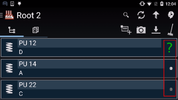
Appearance of the Status LED

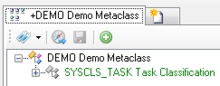
- Set the SYSCLS TASK classification on the MetaClass of the task object, using the Class Details control
- Check the property, which should be connected to the checkbox in the object list, with the Needs Validation flag

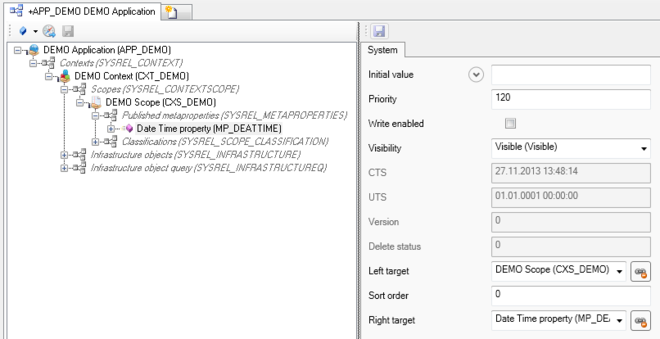
- Set the property's priority to 120 or higher in the ACM
- Save the changes with Ctrl+S or the save command


